Bottom line: most AI automation projects do not fail because the wrong model was chosen. They fail because the orchestration layer does not match the workflow. Use n8n for integration-heavy automation, LangGraph for stateful agent logic, and a custom backend when reliability, permissions, latency, or auditability become product requirements.
That distinction matters for German B2B teams in 2026. AI agents are moving from demos into operational workflows: support triage, invoice checks, IT diagnostics, proposal analysis, compliance documentation, and internal knowledge processes. The model is only one component. The harder question is where state lives, how tools are permissioned, who approves actions, and how failures are measured.
The architecture decision comes before the model decision
A stronger model can hide a weak architecture during a demo. It cannot fix unclear permissions, missing logs, uncontrolled retries, or a workflow that nobody can test. Before choosing a model, answer four architecture questions: What triggers the workflow? Where is state stored? Which tools can the system use? Which actions require human approval?
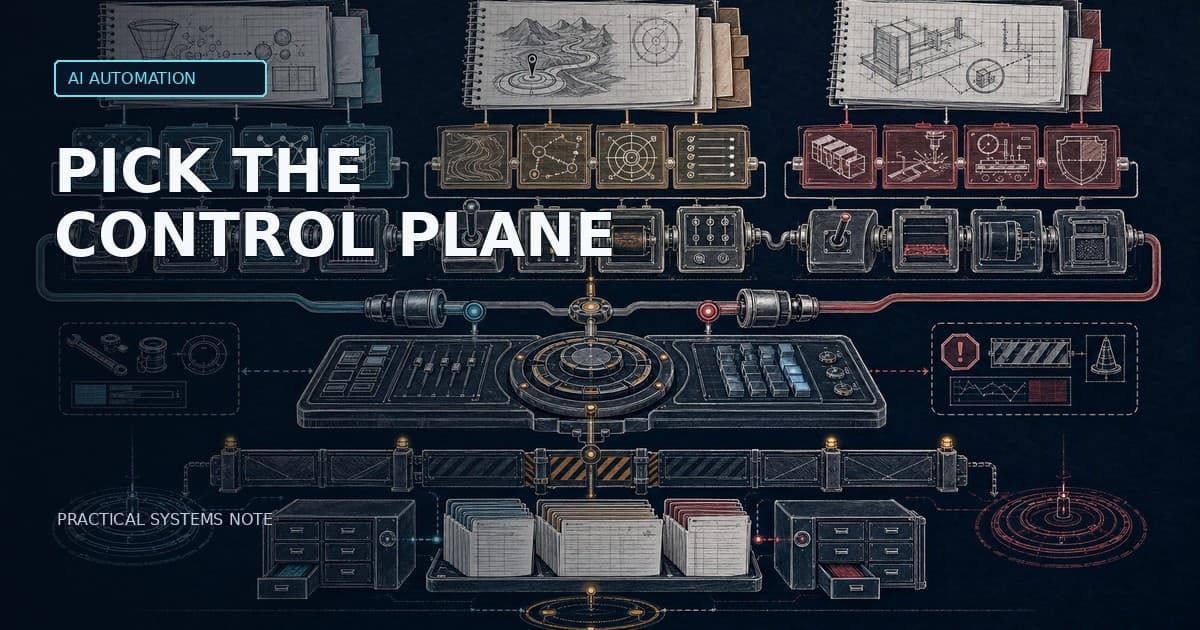
For production work, the right stack is usually not “one tool for everything”. It is a layered system: integration outside, agent state in the middle, and backend controls around the parts that must be reliable.
The short decision matrix
| Requirement | Best fit | Why |
|---|---|---|
| Many SaaS/API integrations and event triggers | n8n | Visual workflows, connectors, fast iteration |
| Multi-step agent reasoning with state | LangGraph | Explicit graph/state model, persistence, human-in-the-loop support |
| Strict permissions, audit trails, SLAs, or customer-facing features | Custom backend | Strong control over auth, tests, logging, latency, and deployment |
| Operations automation with approval steps | n8n + backend | n8n orchestrates, backend enforces permissions and records evidence |
| Agent workflow that must pause, resume, and be inspected | LangGraph + backend | Agent state stays explicit; backend provides policy and audit controls |
When n8n is the right choice
n8n is strongest when the problem is integration-heavy: a form submission triggers a workflow, the system queries CRM data, enriches a ticket, asks an LLM to classify the case, and routes the result to a human for approval. That pattern is common in operations, support, sales, finance, and IT service workflows.
The official n8n AI starter kit combines self-hosted n8n with AI components and supporting tools such as Qdrant and PostgreSQL. n8n describes the kit as a local AI and low-code development environment and highlights more than 400 integrations. That makes it attractive for fast workflow prototyping and internal automation.
But n8n also has a boundary. The same documentation says the starter kit is for testing and must be secured and hardened before production. That caveat matters. A visual canvas is useful for orchestration, but it is not automatically a governance model, a test strategy, or a permission system.
Use n8n first when the workflow is mostly deterministic, the main work is connecting systems, and a human can review important actions. Be careful when the workflow needs complex state, strict versioning, automated test coverage, or fine-grained security guarantees.
When LangGraph is the right choice
LangGraph fits a different class of problem: stateful agent execution. The official LangGraph documentation describes it as a low-level orchestration framework and runtime for long-running, stateful agents. Its core benefits include persistence, durable execution, streaming, memory, debugging, and human-in-the-loop inspection.
That makes LangGraph useful when the agent must reason over multiple steps, pause for human input, resume after failure, or keep explicit state across a workflow. Instead of letting the agent loop freely, you model the workflow as states, transitions, conditions, and stop points.
LangGraph is not the simplest option. It needs engineering discipline. Teams must define state, tool boundaries, evals, traces, and recovery behavior. If the process is a simple trigger-action workflow, LangGraph can be unnecessary. If the agent is making several dependent decisions with tool calls and approvals, it becomes much more appropriate.
When a custom backend is required
A custom backend is not a sign that the team overengineered. Sometimes it is the part that makes the system production-grade. If a workflow is customer-facing, has strict latency requirements, touches sensitive data, or needs strong auditability, backend code should own the control plane.
The backend should enforce authentication, authorization, rate limits, data validation, logging, cost tracking, retries, and rollback. It should also separate deterministic business logic from model-dependent reasoning. An LLM can classify, summarise, and recommend. It should not silently become the source of truth for permissions, billing, or legally relevant decisions.
This is where Ade Christanto’s infrastructure background matters: production systems are not only about prompts. They are about failure modes, observability, deployment, data paths, and operational ownership.
The hybrid architecture I recommend most often
The most practical architecture for many German B2B teams is hybrid.
| Layer | Responsibility | Typical tool |
|---|---|---|
| Trigger and integration layer | Receive events, connect SaaS/internal systems, route work | n8n |
| Agent state layer | Multi-step reasoning, state transitions, human checkpoints | LangGraph |
| Backend control plane | Auth, permissions, APIs, audit trail, eval storage, policy checks | Custom backend |
| Data and retrieval layer | Documents, embeddings, search, CRM/ERP extracts, runbooks | Vector DB, SQL, search, existing systems |
| Audit and evaluation layer | Logs, cost per case, quality metrics, escalation rate | Backend tables, observability, eval pipelines |
In this pattern, n8n is not asked to become a full agent runtime. LangGraph is not asked to become an enterprise integration platform. The backend is not asked to model every workflow visually. Each layer does the work it is good at.
EU AI Act and NIS2 implications
The European Commission describes the AI Act as a risk-based framework. High-risk use cases include areas such as critical infrastructure, education, employment, access to essential services, and certain biometric applications. Not every AI automation workflow is high-risk, but serious systems still need risk classification, documentation, and operational controls.
Article 11 of the EU AI Act concerns technical documentation for high-risk AI systems. Even when your use case is not high-risk, the engineering lesson is useful: document purpose, data sources, system design, logging, limitations, and human oversight. Architecture should make that documentation possible instead of trying to reconstruct it after deployment.
This article is not legal advice. For high-risk, employment-related, credit-related, safety-related, or legally binding workflows, involve legal review early. From an implementation perspective, the minimum is clear: approvals, logs, permissions, evaluation data, and rollback paths belong in the architecture.
A 30-day implementation plan
Week 1: classify the workflow
Choose one recurring workflow with clear value. Map the systems, data, users, allowed actions, risks, and approval points. Decide whether the first version should be n8n-only, LangGraph-assisted, or backend-controlled.
Week 2: build the integration skeleton
Use n8n or backend jobs to connect the relevant systems. Keep write actions disabled at first. Log every input, output, tool call, cost estimate, and escalation.
Week 3: add agent state where needed
If the workflow requires multi-step reasoning, add LangGraph or a similar state-machine approach. Define states, transitions, stop conditions, failure behavior, and human checkpoints.
Week 4: evaluate real cases
Run 100 to 200 historical or live cases. Measure accuracy, time saved, manual corrections, cost per completed case, latency, and escalation rate. Do not expand permissions until the numbers support it.
Practical recommendation
Start with the simplest architecture that can be tested, observed, and audited. If the problem is integration, use n8n. If the problem is stateful agent reasoning, use LangGraph. If the problem is reliability, permissions, auditability, or customer-facing operation, use a backend control plane.
The goal is not to use the most advanced agent framework. The goal is to ship controlled AI automation that survives real operations.
Sources
LangGraph documentation: overview of LangGraph as an orchestration runtime for long-running, stateful agents with durable execution, persistence, streaming, memory, and human-in-the-loop support. https://docs.langchain.com/oss/python/langgraph/overview
n8n documentation: Self-hosted AI Starter Kit with n8n, AI components, Qdrant, PostgreSQL, and production hardening caveat. https://docs.n8n.io/deploy/host-n8n/deploy-with-the-ai-starter-kit
n8n self-hosted AI starter kit repository: open-source Docker Compose template for local AI and low-code workflow development. https://github.com/n8n-io/self-hosted-ai-starter-kit
European Commission: AI Act risk-based regulatory framework and examples of high-risk use cases. https://digital-strategy.ec.europa.eu/en/policies/regulatory-framework-ai
EU AI Act Article 11: technical documentation requirements for high-risk AI systems. https://artificialintelligenceact.eu/article/11